


TheSwiper
Version 0.4.0
File viewer for images, PDFs, SVGs, and office documents, built with GTK4 and libadwaita.
Features
Multi-Format Support
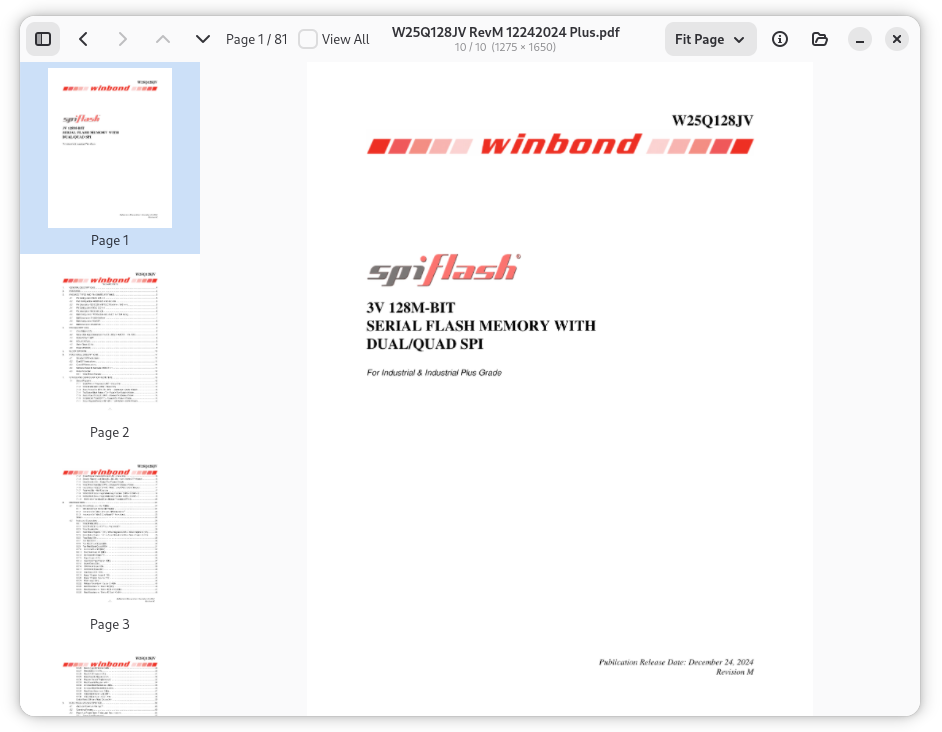
View PDF documents, SVG graphics, raster images (PNG, JPEG, GIF, BMP, TIFF, WebP), LibreOffice documents (ODT, ODS, ODP, ODG), and Microsoft Office files (DOCX, XLSX, PPTX, DOC, XLS, PPT). All rendered natively.
Office Document Rendering
LibreOffice and Microsoft Office documents rendered via LibreOffice headless PDF conversion. Multi-page support with thumbnail sidebar and grid view.
Folder Swiping
Navigate through all supported files in a folder using Left/Right arrow keys. Fast visual browsing without a file manager.
Multi-Page Navigation
Page Up/Page Down keys navigate pages within PDFs and office documents. Thumbnail sidebar and grid view for quick page overview.
Zoom Controls
Six predefined zoom levels — Fit Page, Fit Width, Fit Height, 50%, 100%, 200%. Accessible via dropdown menu in the toolbar.
Async Loading
Document loading, thumbnail generation, and grid view rendering all run asynchronously with progress bars — the UI stays responsive even with large files.
Flexible Launch
Open with a file (starts navigating its folder), a folder (opens first file), or no arguments (shows file chooser). Drag-and-drop support.
Use Cases
Quick Image Review
Browse through a folder of screenshots, photos, or design assets using arrow keys — faster than opening each file individually.
Document Browsing
Quickly flip through PDFs, Word documents, spreadsheets, and presentations in a directory. Multi-page navigation and zoom controls for easy review.
Design Asset Preview
Swipe through SVG icons, UI mockups, and image assets in a project folder. Native rendering ensures accurate display.
User Manual
Supported Formats
| Format | Extensions |
|---|---|
| Images | PNG, JPEG, GIF, BMP, TIFF, WebP, ICO, XPM |
| Documents | PDF, SVG |
| LibreOffice | ODT, ODS, ODP, ODG |
| Microsoft Office | DOCX, XLSX, PPTX, DOC, XLS, PPT |
Keyboard Shortcuts
| Shortcut | Action |
|---|---|
Left | Previous file in folder |
Right | Next file in folder |
Page Up / Up | Previous page (multi-page documents) |
Page Down / Down | Next page (multi-page documents) |
Delete | Delete current file (with confirmation) |
Ctrl+O | Open file dialog |
Right-click | Context menu: open in default viewer or choose application |