


TheLibreDiff
Version 0.1.0
ODF document comparison tool for GNOME, built with GTK4 and libadwaita.
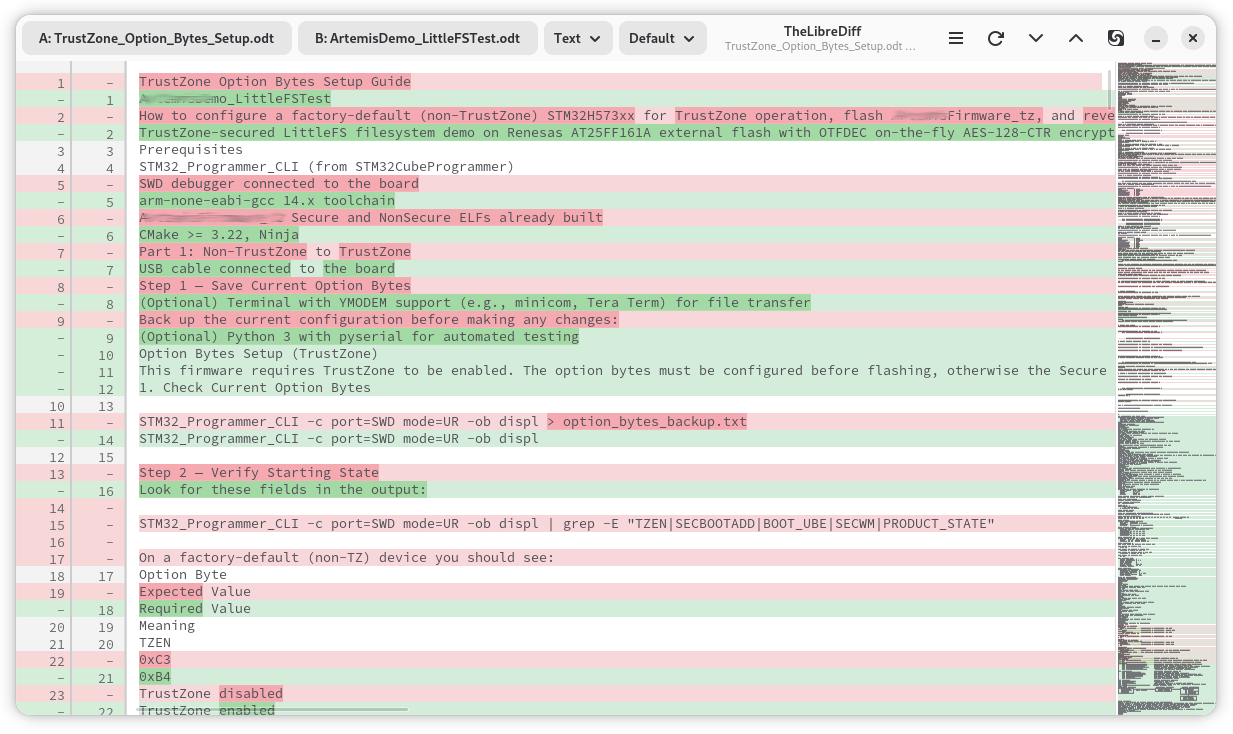
Features
Text Diff View
Syntax-highlighted unified diff with word-level change highlighting, powered by diffviewmm and GtkSourceView. Line numbers, minimap sidebar, and automatic dark/light mode.
WYSIWYG View
Side-by-side rendering of both documents with original formatting — bold, italic, underline, strikethrough, font size, and color. Changed paragraphs highlighted in yellow, added in green, removed in red.
Spreadsheet View
Tab-separated cell values per sheet for ODS spreadsheet files. Falls back to text mode for non-spreadsheet formats.
Multiple Diff Algorithms
Choose between Default (Myers), Minimal (smallest possible diff), and Speed (optimized for large files) algorithms via dropdown selector.
Async Extraction
Documents extracted on a background thread — the UI stays responsive with a loading spinner. Full cancellation support.
Drag and Drop
Drop two files to compare them, or drop one file on the left or right half of the window to assign it to that slot. Also supports command-line file arguments.
Use Cases
Document Version Comparison
Compare two revisions of an ODT report, thesis, or contract to see exactly what changed — with word-level precision in text mode or visual formatting in WYSIWYG mode.
Spreadsheet Auditing
Diff two ODS spreadsheets to find changed cell values across sheets — useful for reviewing budget updates, data exports, or configuration tables.
Presentation Review
Compare ODP presentation drafts to identify text changes across slides before a review or submission.
User Manual
Supported Formats
| Format | Extension | View Modes |
|---|---|---|
| Text documents | .odt | Text, WYSIWYG |
| Spreadsheets | .ods | Text, Spreadsheet |
| Presentations | .odp | Text, WYSIWYG |
| Drawings | .odg | Text, WYSIWYG |
Opening Files
There are three ways to open files:
- Buttons: Click "File A" or "File B" in the header bar. The file dialog filters for ODF documents by default.
- Drag and drop: Drop files from your file manager onto the window. Two files fill both slots; one file goes to the left or right slot depending on where you drop it.
- Command line:
the-librediff file-a.odt file-b.odtopens both files immediately.
View Modes
Use the dropdown in the header bar to switch between view modes:
- Text — Extracts plain text from both documents and shows a unified diff. Works for all formats. Added lines appear in green, removed in red, with word-level highlighting on changed lines.
- WYSIWYG — Renders both documents side-by-side with original formatting preserved. Paragraph-level diff highlights changes: yellow for modified, green for added, red for removed. Available for ODT, ODP, and ODG. Synchronized scrolling keeps both sides aligned.
- Spreadsheet — Extracts cell values as tab-separated text per sheet. Available for ODS files only.
Diff Algorithms
| Algorithm | Best for |
|---|---|
| Default (Myers) | General-purpose, good balance of quality and speed |
| Minimal | Finding the smallest possible diff (slower) |
| Speed | Large documents where speed matters more than minimality |
Keyboard Shortcuts
| Shortcut | Action |
|---|---|
Ctrl+O | Open File A |
Ctrl+Shift+O | Open File B |
Ctrl+D | Next difference |
Ctrl+Shift+D | Previous difference |
F5 | Reload and re-diff |
Ctrl+M | Open in Meld |